![Type=Opposite, State=Logo With Icon, Size=Large-1.png]](https://knowledge.digtective.com/hs-fs/hubfs/Type=Opposite%2c%20State=Logo%20With%20Icon%2c%20Size=Large-1.png?height=40&name=Type=Opposite%2c%20State=Logo%20With%20Icon%2c%20Size=Large-1.png)
To Disconnect paddle on Digger follow these steps:
1. Log in to Digger.
2. Navigate to Integration > Payment provider
3. Locate 'Disconnect to Paddle' button
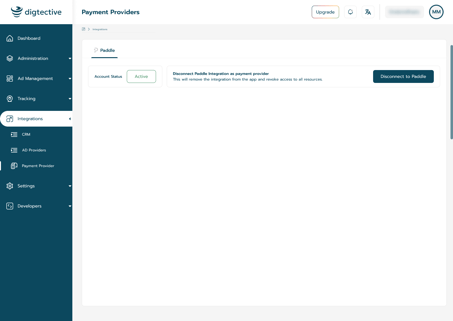
4. Click on the button, then confirm by selecting 'Continue' in the pop-up window.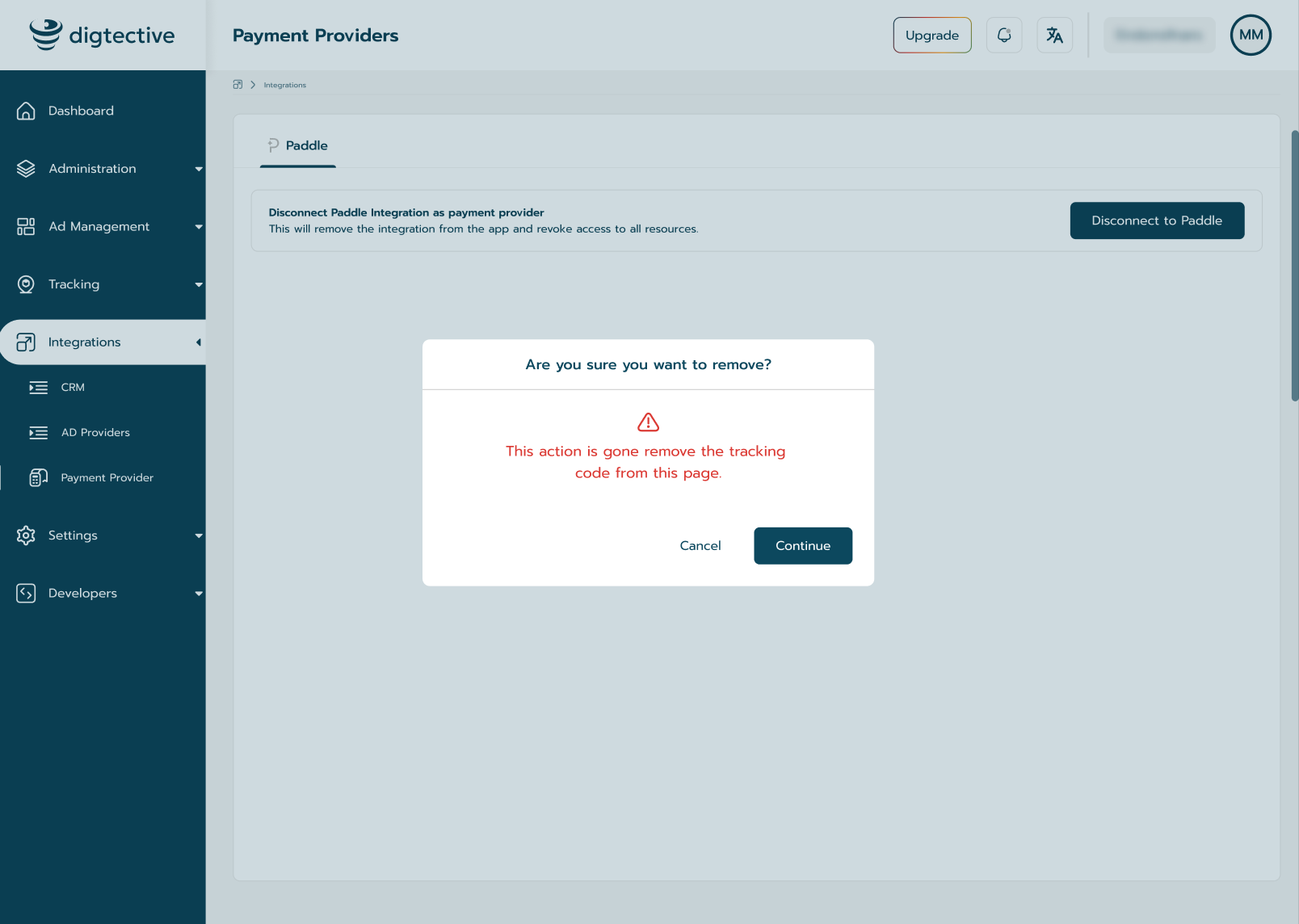
You have successfully disconnected Paddle from Digger platform