![Type=Opposite, State=Logo With Icon, Size=Large-1.png]](https://knowledge.digtective.com/hs-fs/hubfs/Type=Opposite%2c%20State=Logo%20With%20Icon%2c%20Size=Large-1.png?height=40&name=Type=Opposite%2c%20State=Logo%20With%20Icon%2c%20Size=Large-1.png)
Steps to Enable Tracking
-
Log in to your Google Ads account.
-
Navigate to Campaigns in the left-hand menu.
-
Click the gear icon.

-
Scroll down and open Additional settings.
-
Click Campaign URL options.
-
Under Final URL suffix, enter the dig parameter:
dig={creative}&kwd={keyword}&gclid={gclid}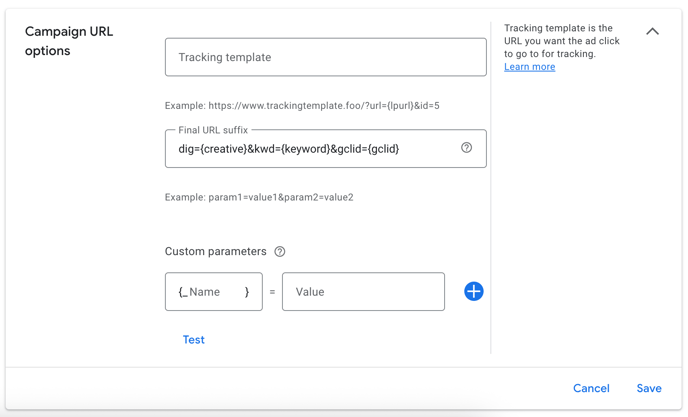
-
Click Save to apply the changes.